Your bookings, everywhere they need to be
Sync appointments to Google Calendar and Outlook, fire Zapier automations and watch your revenue — net of refunds, filtered by date range — so the diary connects to the tools your team already lives in.



Calendar sync & automation that just runs
Push bookings to the calendars your team uses, automate the busywork, and keep an eye on what the clinic earns.
Two-way Google Calendar sync
Every booking pushes to Google Calendar and is removed automatically when it is cancelled — the team calendar always matches the diary. If the connection ever drops, Alnora tells you so it can’t fail silently.
Read docsOutlook Calendar sync
Keep an Outlook calendar in step with your bookings, exactly the same way — ideal for Microsoft 365 practices.
Read docsConnect thousands of apps with Zapier
Booking and status changes, payments and refunds fire Zapier webhooks — created, confirmed, cancelled, rescheduled, completed, no-show, paid and refunded — so you can trigger anything: a CRM update, a spreadsheet row, a Slack ping. Each carries the payment method, a per-charge breakdown and the appointment’s full location details.
Read docsFilter every booking in seconds
Search and filter appointments by doctor, service, location, date or status — find exactly what you need without scrolling.
Read docsMonthly revenue at a glance
See what your clinic earned each month, so you can spot trends and quiet weeks without exporting a thing.
Read docs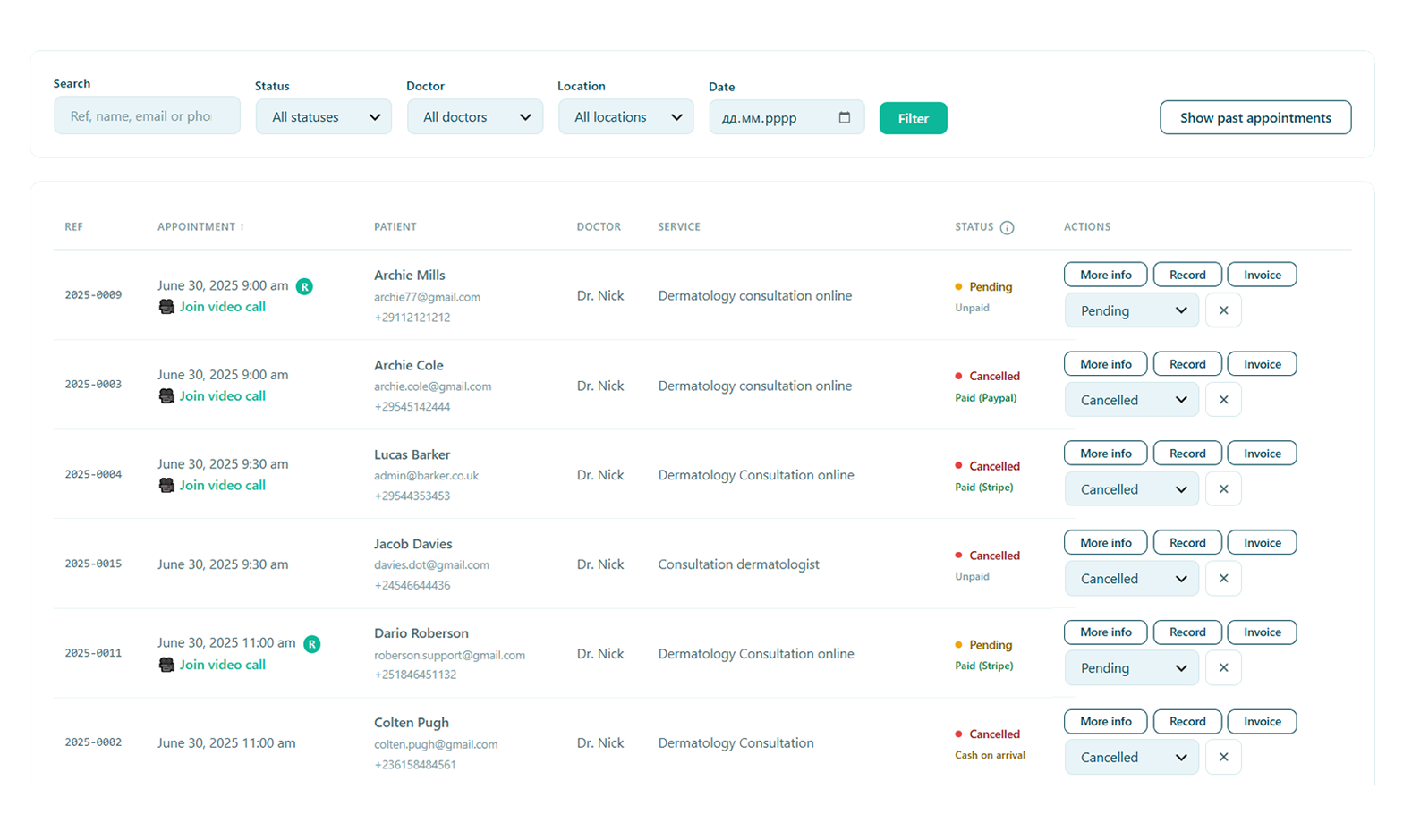
One list you can actually navigate
Whatever is on the calendars, the source of truth is your Appointments screen — filter it, search it, and let every change flow back out to the tools you have connected.
- Filter by doctor, service, location, date or status
- Cancel a booking and its calendar entry disappears too
- Reschedule once and calendars, Zapier and reminders all update
Let the busywork run itself
Because bookings, payments and cancellations all fire events, Alnora becomes the trigger for whatever your clinic runs next — sync a CRM, log to a spreadsheet, message a channel, or start a whole Zap. Connect it once and the admin that used to eat your afternoons quietly takes care of itself.
Connect your clinic to everything.
Calendar sync, Zapier and revenue reports come with Alnora Pro — 30-day money-back.
Setting it up? Read the calendar guide.