Get paid online, right when patients book
Take card and PayPal payments, deposits and full refunds inside WordPress — no WooCommerce, no extra checkout plugin. Just switch it on and start collecting.
Stripe & PayPal payments for your whole clinic
Deposits, balances, recurring courses, pay-by-link and refunds — all handled where you already manage appointments.
Card & PayPal checkout at booking
Patients pay securely by card (Stripe) or PayPal the moment they book — no separate WooCommerce, cart or checkout plugin to bolt on.
Read docsBank transfer — no gateway needed
Show patients your account details and a reference, and hold their slot while the money is on its way. No account to apply for and no per-payment fee — and because no gateway is involved, it works in any country and any currency.
Read docsDeposits or the full amount
Take a deposit to lock in the slot — a percentage or a fixed amount — or charge the full price up front. Your choice, per clinic.
Read docsEmail a pay-by-link
Booked a patient by phone or at the desk? Send them a secure link to pay online — the deposit, the balance or the full amount — and it is marked paid automatically.
Read docsCollect the balance online later
Took a deposit? Email the patient a link to pay the rest by card or PayPal whenever you are ready — then refund the deposit and balance together, even across different methods.
Read docsPay a whole recurring series at once
A recurring booking is paid in one checkout that covers every visit. Each appointment is marked paid — and any single visit can still be refunded on its own.
Read docsFull & partial refunds
Refund a card or PayPal payment in one click — in full or in part — straight from the appointment. The money goes back to the patient’s original method.
Read docsAutomatic invoice PDF
A branded invoice PDF — headed with your clinic logo — is generated after each visit, showing the amount, payment method and paid/due status. Attach it to the payment email, with a separate invoice for every visit in a recurring course.
Read docsMany currencies
Charge in your local currency, with gateway-aware amount handling. Stripe and PayPal appear only for the currencies they support.
Read docsLive in three steps
Paste your keys
Drop your Stripe and PayPal API keys into Settings → Payments and switch each gateway on. Test in sandbox first if you like.
Set deposits
Choose the full amount, a percentage or a fixed deposit. Patients then pay online as they book, or you send them a pay-by-link.
Get paid & reconciled
Payments land in your own Stripe/PayPal account, each booking is marked paid, and a branded invoice PDF is generated automatically.
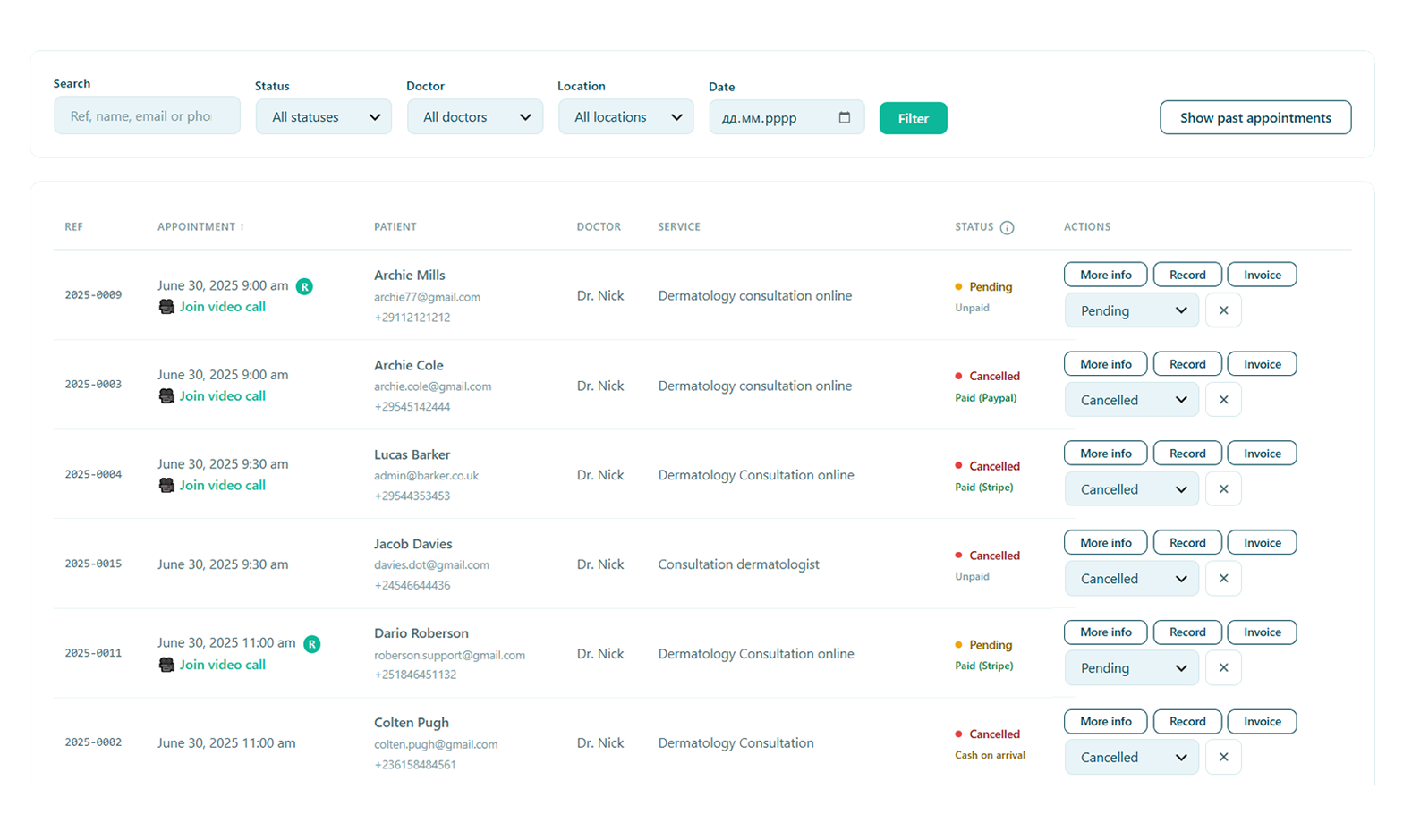
Every payment, managed from one screen
See what was paid, chase a balance and issue a refund without ever leaving WordPress — the money moves through your own gateway, back to the patient’s original card or PayPal.
- Refund in full or in part, straight from the appointment
- Deposit taken and balance owed shown at a glance
- The patient is emailed automatically when a refund is on its way
A checkout is never a lost slot — or lost money
If a patient starts paying and never finishes, Alnora frees the slot for you — but only after asking Stripe or PayPal what really happened. A checkout that was genuinely paid is kept and marked paid, so nobody loses an appointment they paid for, and a PayPal payment the patient approved but never completed is still collected. Until the payment is captured, no confirmation email, calendar entry or reminder is sent, so an unfinished checkout never leaves an orphaned booking behind.
No gateway in your country? Take bank transfers instead
Stripe and PayPal do not reach every country, and neither handles every currency — which can leave a clinic with cash as its only option. Bank transfer has no such list. Switch it on, enter your account details, and patients booking online are shown those details and a reference while their appointment time is held.
When the money reaches your account you press Mark transfer received, which confirms the booking and emails the patient in one step. From that point it behaves exactly like any other paid booking — invoice, refund record and reports included. There is no account to be approved for and no per-payment fee.
Alnora cannot see your bank account, so it will never pretend to know that a payment has landed. Every held booking shows the amount and reference to look for on your statement, and one button to settle it. If the money never arrives, the slot is freed after however many days you choose.
Start taking payments today.
Unlock Stripe, PayPal, deposits and refunds with Alnora Pro — 30-day money-back.
Setting it up? Follow the payments guide.