Booking that keeps patients on their plan
From the first consultation to the last check-in — intake questionnaires, regular follow-ups in clinic or online, and lab results kept secure, all on your own WordPress site.
Everything a nutrition practice needs
From the first questionnaire to the last check-in, Alnora fits how you work.
A programme, not just one visit
Book a first consultation and a series of follow-ups at a regular interval in one step. Patients see every check-in date before confirming, and can pay for the whole programme in one checkout.
Intake questionnaires that fit
Ask about diet history, goals, allergies and medication before the first visit, on a form you build yourself — and a shorter questionnaire before each check-in, with every answer kept as a history.
Allergies that follow the patient
Allergies, intolerances and conditions sit on the patient’s record and carry across every visit, so nobody has to ask twice or dig through an old email.
Consult online or in clinic
Many check-ins do not need a room. Alnora can attach a Zoom or Google Meet link to the appointment automatically, in the same diary as your in-clinic sessions.
Results before the visit
Patients can upload blood test results or a food diary ahead of their appointment, so they are waiting in the record when you open it — stored privately, never at a public address.
Fewer missed check-ins
Automatic SMS, WhatsApp, Telegram and email reminders — and a deposit at booking — stop follow-ups from quietly slipping off the calendar.
The right message at each stage
Add a “Book your next check-in” button to reminders for returning patients only, or a what-to-bring list to first consultations — written once, placed in every template.
One plan, one diary, one record
A twelve-week programme should not mean re-booking by hand every fortnight.
Consult
The patient books a first consultation online and fills in your intake questionnaire as they book — diet history, goals, allergies. Their record exists before they arrive.
Plan the check-ins
Turn the plan into a repeating series of follow-ups in one step, in clinic or online. Every date is shown before they confirm, and the whole programme can be paid for in a single checkout.
Track progress
A short questionnaire before each check-in builds a history — how the fortnight went, what changed — beside your own notes and any results they upload.
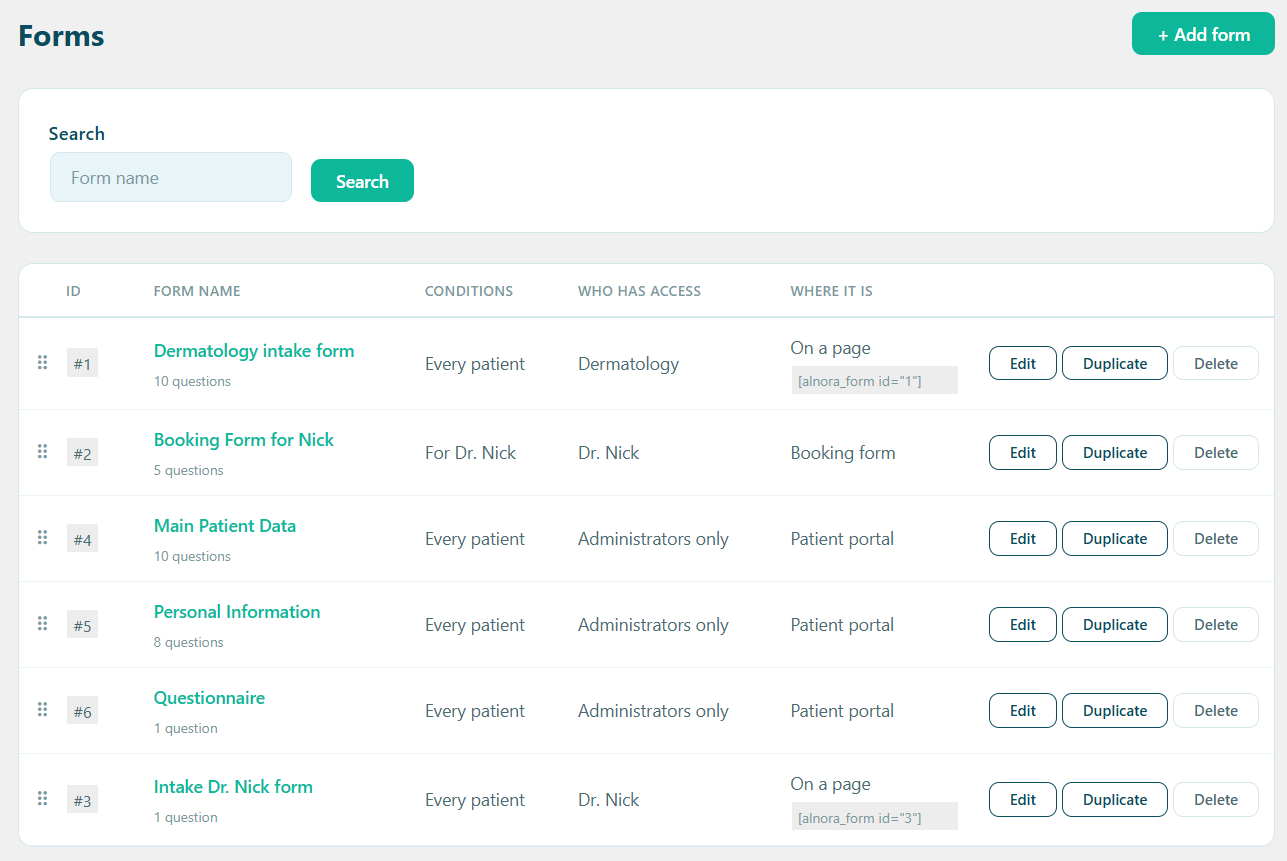
Intake and check-in questionnaires, your way
A first consultation needs the full picture; a fortnightly check-in needs five questions. Build a form for each, and Alnora shows the right one to the right patient — on the booking form, in their portal, or on a page of its own.
- Diet history, goals, allergies and medication — in your own words
- Answers kept as a history, so this month reads against last month
- Aimed by service, practitioner, or new versus returning patients
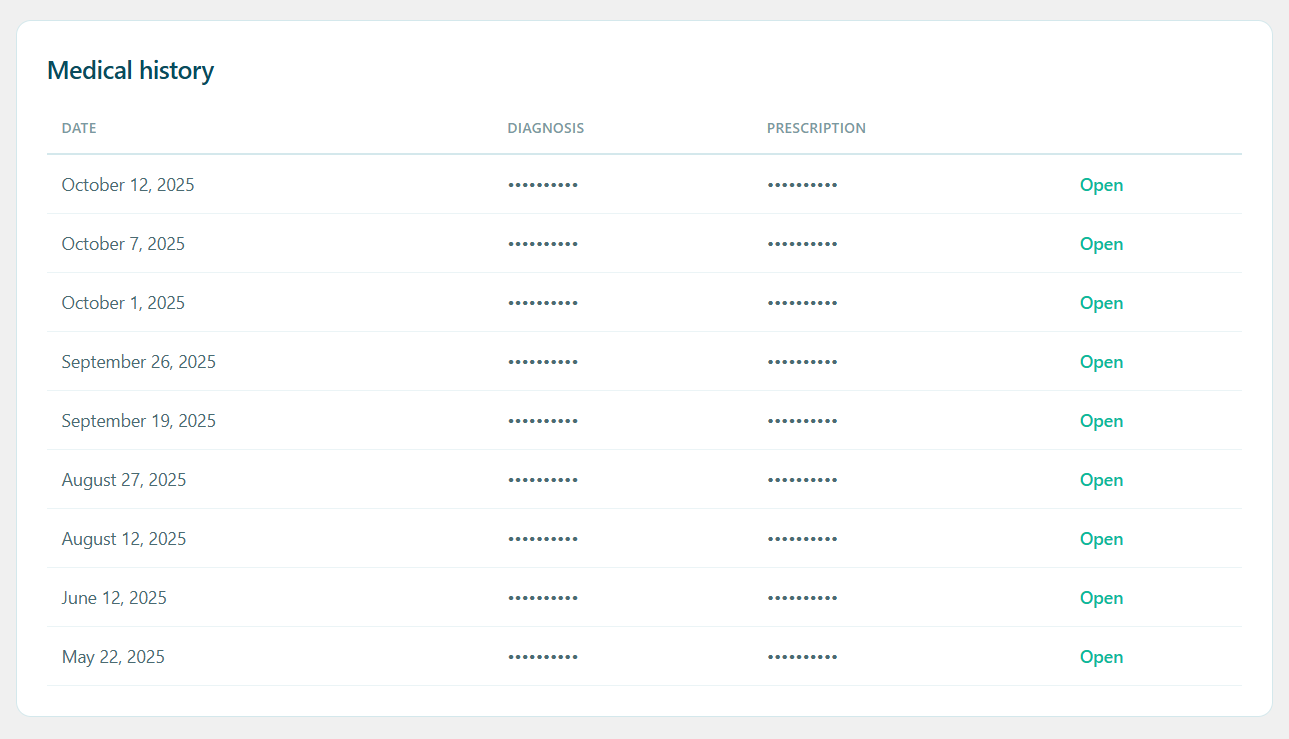
Everything about one patient, in one place
Consultation notes, meal plans, lab results and questionnaire answers build up against one patient instead of scattering across email attachments, a notes app and a spreadsheet.
- Notes and document uploads per patient, encrypted
- Allergies and conditions that carry across every visit
- Visible to the practitioner treating them — unless you say otherwise
Health information that never leaves your hosting
There is no Alnora cloud to trust and no per-patient fee. Everything lives in your own WordPress database — and the sensitive parts are encrypted there, not merely hidden behind a login.
AES-256 at rest
Notes, contact details and uploaded files are encrypted inside the database itself.
You can hold the key
Move the encryption key out of the database into wp-config.php, so a stolen dump is useless on its own.
Roles that mean something
Each practitioner gets their own diary and their own patients. Reception can manage bookings without seeing clinical notes.
GDPR without an add-on
Export, erasure, consent records and an audit log are part of the plugin, not a second purchase.
What a nutrition practice usually runs, and what it could run instead
The usual stack
A generic booking plugin, WooCommerce behind it for payments, a forms plugin for intake questionnaires, a separate video app for online consultations, and a spreadsheet for progress. Five things to keep updated and five places for health data to sit.
Alnora on its own
Booking, recurring check-ins, deposits and payments, intake questionnaires, online consultations, encrypted records, reminders, invoices and GDPR tools — one plugin, inside the WordPress site you already run.
Before you switch
Can a patient book a whole programme of check-ins themselves?
Yes. Mark a service as recurring and the patient picks the interval and how many follow-ups they want while booking. Every date is listed before they confirm, and if one lands on a day off or a full slot it rolls forward to the next free time instead of silently disappearing.
Can I see patients online as well as in clinic?
Yes. Connect Zoom or Google Meet and Alnora creates the video link for the appointment automatically and sends it with the confirmation. Online and in-clinic appointments share one diary, so nobody is booked twice at the same time.
Can patients send me a food diary or blood test results before the visit?
Yes. Add a file upload to the booking form or the patient portal, and whatever they attach is stored privately — never at a public web address — and waiting in their record when you open it.
Where do consultation notes and results actually live?
In your own WordPress database and uploads folder, on your own hosting. Fields you mark as sensitive are encrypted with AES-256, and the encryption key can be kept outside the database entirely so a database dump is not enough to read them.
Do I need WooCommerce to sell a programme or take deposits?
No. Stripe and PayPal connect directly, including percentage or fixed deposits and paying for a whole programme in one checkout. Invoices come out as branded PDFs without a shop plugin anywhere in the site.
Our patients are in a spreadsheet today. Can we move them?
Import patients and practitioners from CSV, and export them the same way. Rows are matched against what you already have rather than duplicated, so a second import corrects the first instead of doubling it.
More answers on the full FAQ page.
Give your clinic software that fits.
Start free, or unlock the full toolkit with Pro — 30-day money-back.
Not sure where to start? Read the documentation.