Know exactly what your clinic earned
Revenue reports built into your booking — net of refunds, filtered by date range, and broken down by month, doctor and payment method. No spreadsheets, no exporting to add up your takings.
A revenue dashboard that actually adds up
Every figure is net of refunds and scoped to the period you choose — with the breakdowns a clinic actually needs to read its income.
Net revenue, not gross
Refunds are subtracted automatically, so the headline figure is what your clinic actually kept — with gross and refunds shown alongside.
Read docsFilter by any date range
This month, last month, last 30 days, last 12 months, this year, all time — or a custom from / to. Every figure follows your choice.
Read docsBy month, doctor & method
Break net revenue down by month, by doctor, and by payment method — Card, PayPal or Cash — to see where the income really comes from.
Read docsPaid appointments & average
See how many appointments actually paid and the average net value of each — a quick read on what a booking is worth to your clinic.
Read docsExport to CSV
Download the payments for the selected range with a signed-amount column — refunds negative — so a spreadsheet totals straight to net.
Read docsAlways reconciles
Money taken on an appointment that was later deleted still counts — it shows under a “Removed appointments” line, so the totals always add up.
Read docs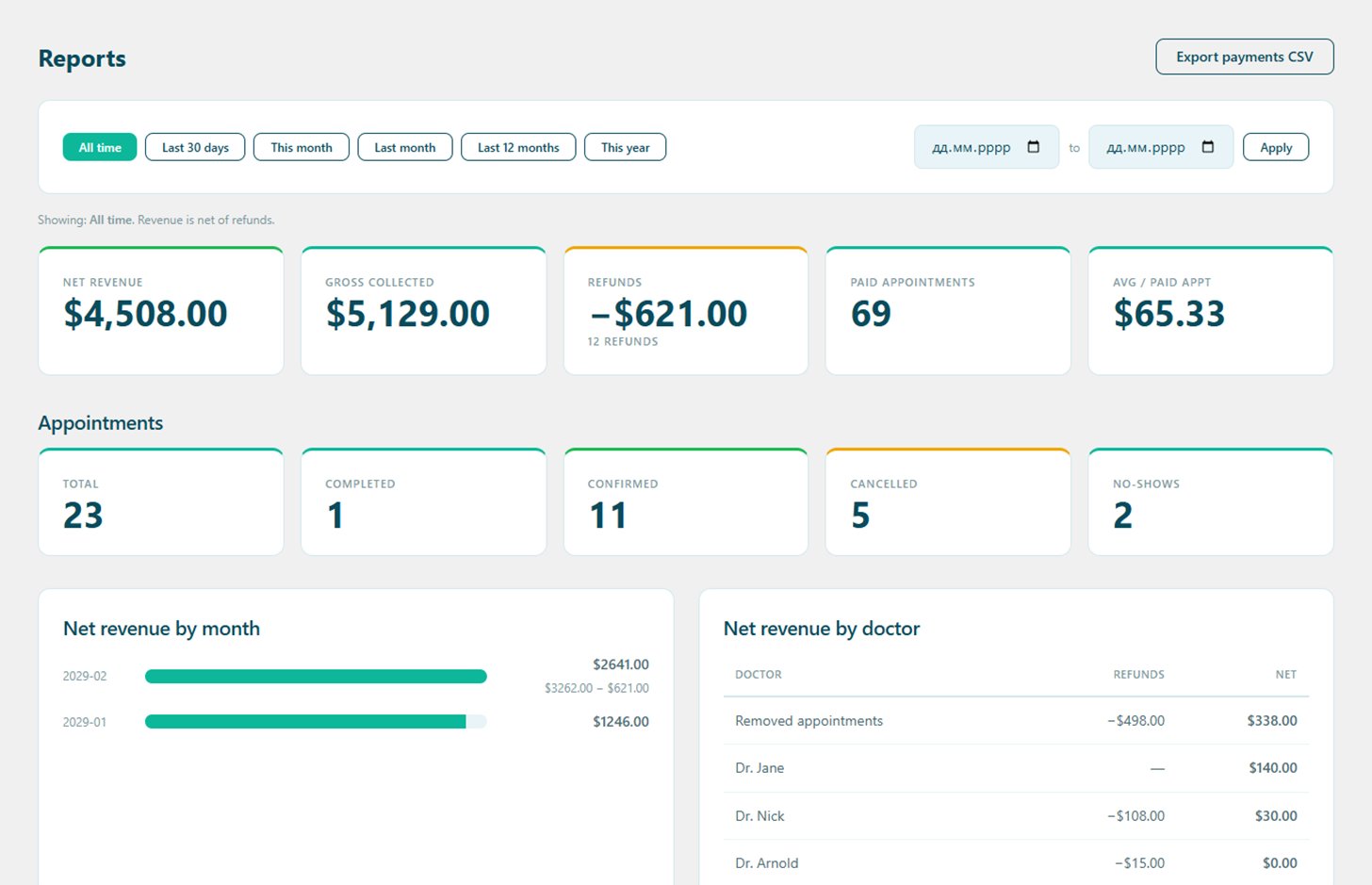
Everything on one Reports screen
Pick a period and read net revenue, gross and refunds side by side, the number of paid appointments and the average each is worth — then the breakdowns underneath. No exporting required.
- Net revenue, gross and refunds — never double-counted
- Net revenue by month, by doctor and by payment method
- Export the selected range to CSV, refund-aware
From payments to insight in three steps
Take payments as usual
Card, PayPal and cash payments — and any refunds — are recorded automatically against each appointment.
Choose a period
Open Alnora → Reports and pick a preset or a custom date range. Every figure updates to that window.
Read or export
See net revenue and the breakdowns on screen, or export the range to CSV to hand to your accountant.
Numbers you can trust
Refunds are subtracted everywhere, so a report never overstates what you earned. Money collected on an appointment that was later deleted still counts — it was really taken — and appears under a “Removed appointments” line, so the doctor breakdown always reconciles with the total. Everything is calculated on your own server; nothing about your takings is sent to a third party.
See what your clinic really earns.
Revenue reports come built into Alnora Pro — 30-day money-back.
Setting it up? Read the reports guide.