Booked by phone? Email them a link and get paid
For every phone and walk-in booking, send the patient a secure link to pay by card or PayPal — a deposit, the balance or the full amount — with a branded invoice, marked paid automatically. All inside WordPress.
Everything a payment link should do
Send it, let the patient pay however they like, and watch it reconcile itself — with a branded invoice on every one.
A secure pay-by-link, emailed in seconds
Open any appointment and send the patient a secure link to pay online — ideal for phone and walk-in bookings you took without a checkout.
Read docsDeposit, balance or full amount
Choose exactly what the link collects — a deposit to hold the slot, the outstanding balance after a deposit, or the whole price up front.
Read docsA branded email with your logo
The patient receives a clean, translated email headed with your clinic logo and a single prominent “Pay now” button — no account or app needed.
Read docsPay by card or PayPal
The link opens a secure, hosted payment page. Patients pay by card (Stripe) or PayPal, and the money lands straight in your own gateway account.
Read docsMarked paid automatically
The moment the patient pays, the appointment is reconciled and marked paid — no manual matching, no chasing whether the money arrived.
Read docsA matching invoice PDF
Every link comes with a branded invoice PDF showing the amount and status — due while it is unpaid, and Paid once it settles, with a separate invoice for each visit in a recurring course.
Read docsFrom your appointment to paid, in four steps
The exact screens your team and your patients see — click any to enlarge.
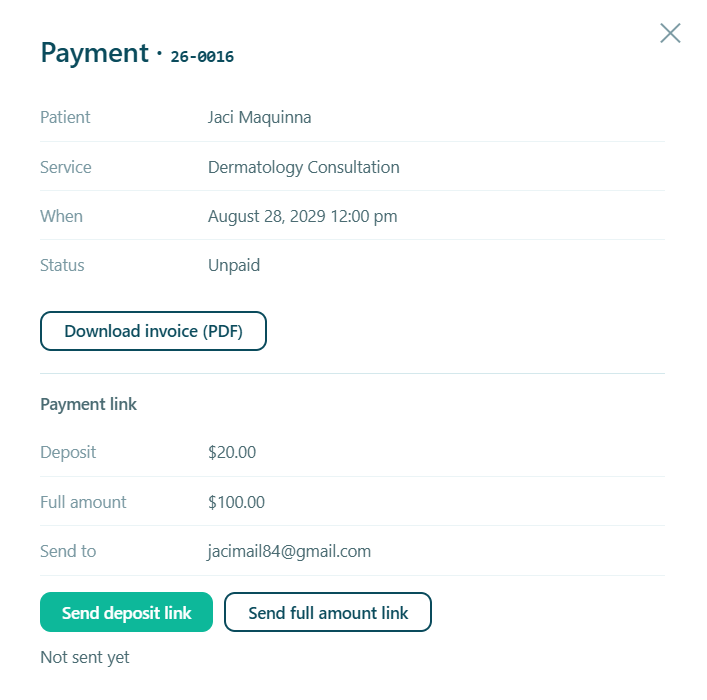
Send the link from the appointment
From any booking, choose what to charge and send. One click emails the patient a secure link — pick a deposit to hold the slot or the full amount, right there in the appointment.
- Deposit or full amount, chosen per link
- Works for phone and walk-in bookings with no checkout
- No online cart or WooCommerce to configure
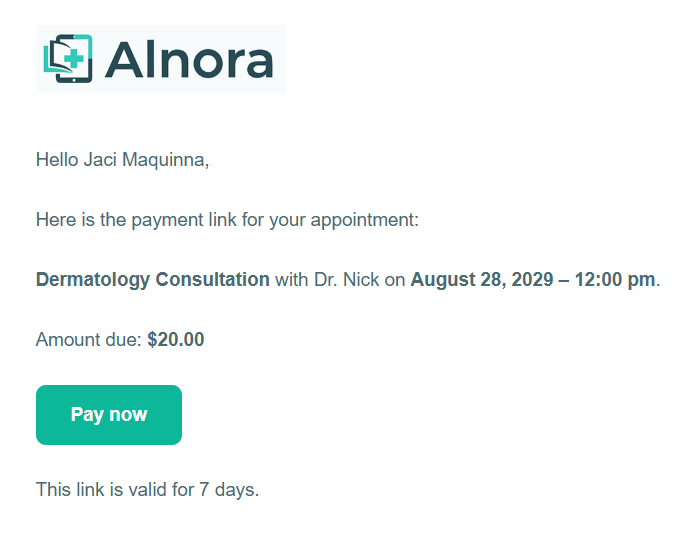
The patient gets a branded email
The email arrives headed with your clinic logo and a single, obvious “Pay now” button. It is fully translated and matches your other Alnora emails, so it reads as unmistakably from you.
- Your logo in the header, your clinic’s voice
- One clear call to action — nothing to hunt for
- No patient account or app to install
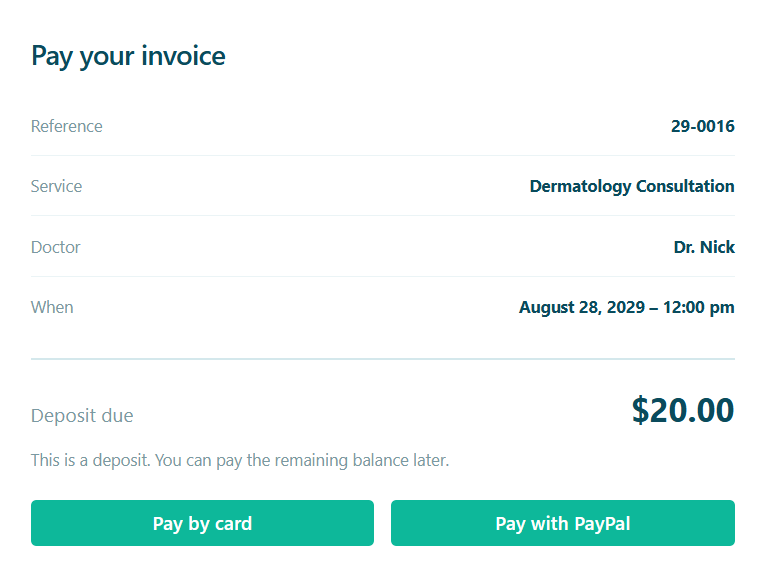
They pay on a secure, hosted page
Clicking through opens a clean pay-invoice page showing exactly what is owed. The patient pays by card or PayPal, and the money goes straight to your own gateway account.
- Card (Stripe) or PayPal, patient’s choice
- The amount and what it is for, shown plainly
- Funds settle into your own Stripe/PayPal account
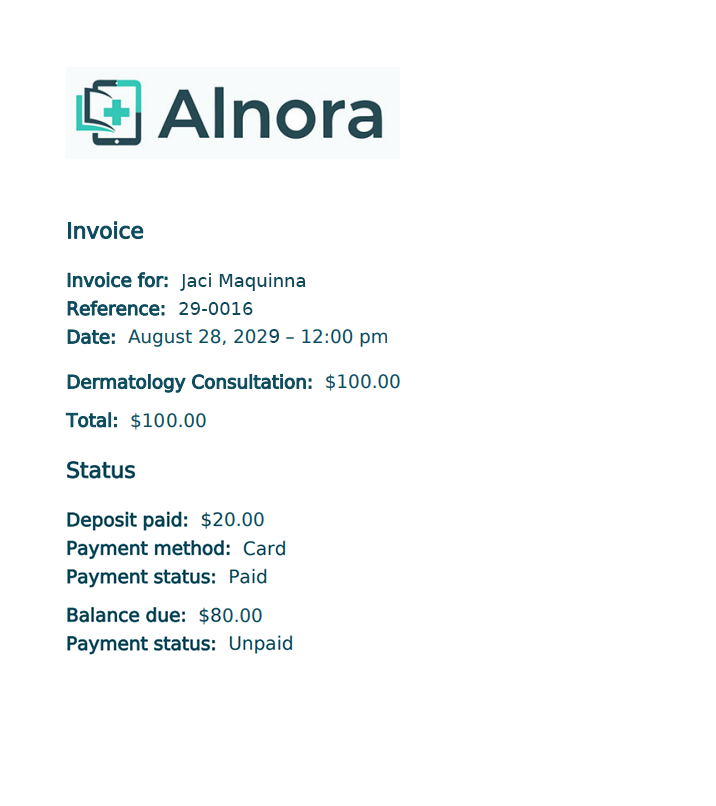
A matching invoice PDF, every time
Each link is backed by a branded invoice PDF — headed with your logo and showing the amount. It reads “due” while the payment is outstanding and flips to “paid” once the patient settles, so your records always match reality.
- Headed with your clinic logo, not just a name
- Clear due / paid status on the document
- A separate invoice for every visit in a recurring course
Made for the bookings that skip the checkout
Phone & walk-in bookings
You added the appointment yourself, so there was no online payment. Send a link afterwards and let the patient settle it in their own time.
Collecting a balance
Took a deposit at booking? Email a link for the rest whenever you’re ready — then refund deposit and balance together if you ever need to.
Paying for a course
A recurring series can be settled from one link that covers every visit — each appointment is marked paid, with its own invoice.
A link they can trust, a total you can rely on
The payment happens on Stripe’s or PayPal’s own secure page — Alnora never touches card numbers — and the money settles straight into your own gateway account. As soon as it clears, the appointment is marked paid and its invoice flips to paid, so your Reports show real, reconciled revenue rather than promises. Nothing to match by hand, nothing to chase.
Turn every phone booking into a paid one.
Payment links, deposits, invoices and refunds come with Alnora Pro — 30-day money-back.
Setting it up? Follow the payment-link guide.